Organize your projects today
Your whole portfolio, without the overhead
Turn a statement of work into a task plan with AI, see who is overloaded, and give executives a status they can trust - in one focused tool instead of a heavyweight PPM suite and a pile of spreadsheets.
Free for 1 manager, 3 team members and 2 active projects. No credit card required.
Powered by GenAI
From statement of work to task plan in a minute
Upload the SOW, proposal or brief, add a few notes, and Claude or GPT drafts the tasks: durations, effort estimates, milestones and finish-to-start dependencies, scheduled in working days from your start date.
- You review and edit every line before a single task is created. Assigning people stays with you.
- Runs on your own Claude or OpenAI API key, so usage is billed by your provider at cost and available on every plan, including free.
- Documents are read once and never stored. Your key is encrypted and only ever used on the server.
Review the draft
website-relaunch-sow.pdf
- 1Kick-off and scope sign-off2 days8h
- 2Stakeholder interviews4 days16hafter 1
- 3Information architecture3 days12hafter 2
- 4Visual design5 days30hafter 3
- 5Content migration4 days20hafter 3
- 6Front-end build8 days48hafter 4, 5
- 7Go-livemilestone4hafter 6
Everything a lean PMO needs. Nothing it doesn't.
Auto-scheduled tasks
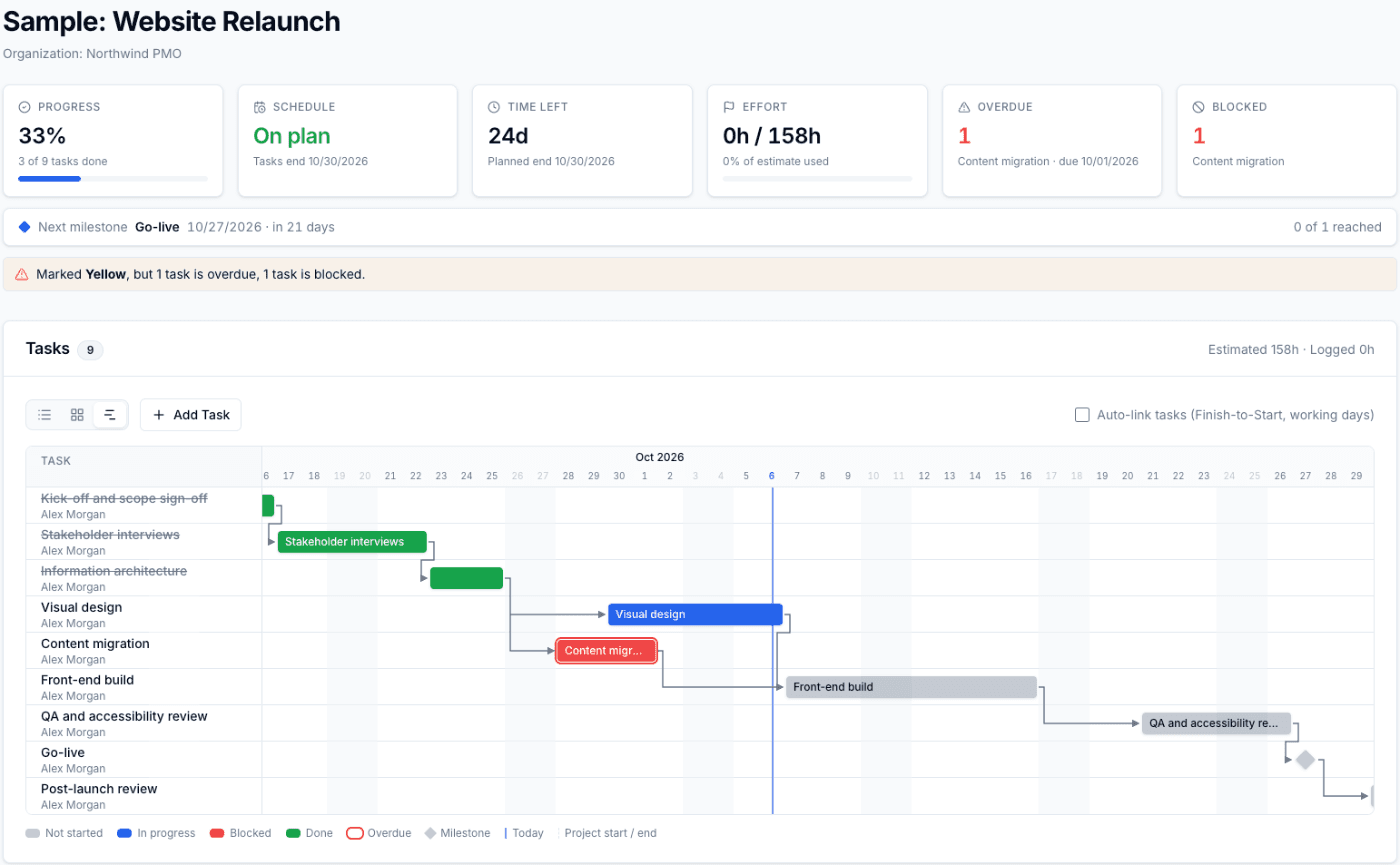
Link tasks finish-to-start and dates recalculate when anything moves. Work in a list or on a kanban board.
Reusable templates
Capture how you deliver once. Spin up the next project with its task plan already in place.
Team capacity
Estimate tasks in hours and see each person's load week by week across every project, with overloads flagged.
Weekly timesheets
Log hours per project in a minute and compare actuals with estimates. Export to CSV.
Portfolio dashboard
Status, red/yellow/green health, upcoming deadlines and projects needing attention on one page.
Executive reporting
Keep a dated history of executive reports, key documents and project chat next to the plan.
From kickoff to status report
- 1
Create a project
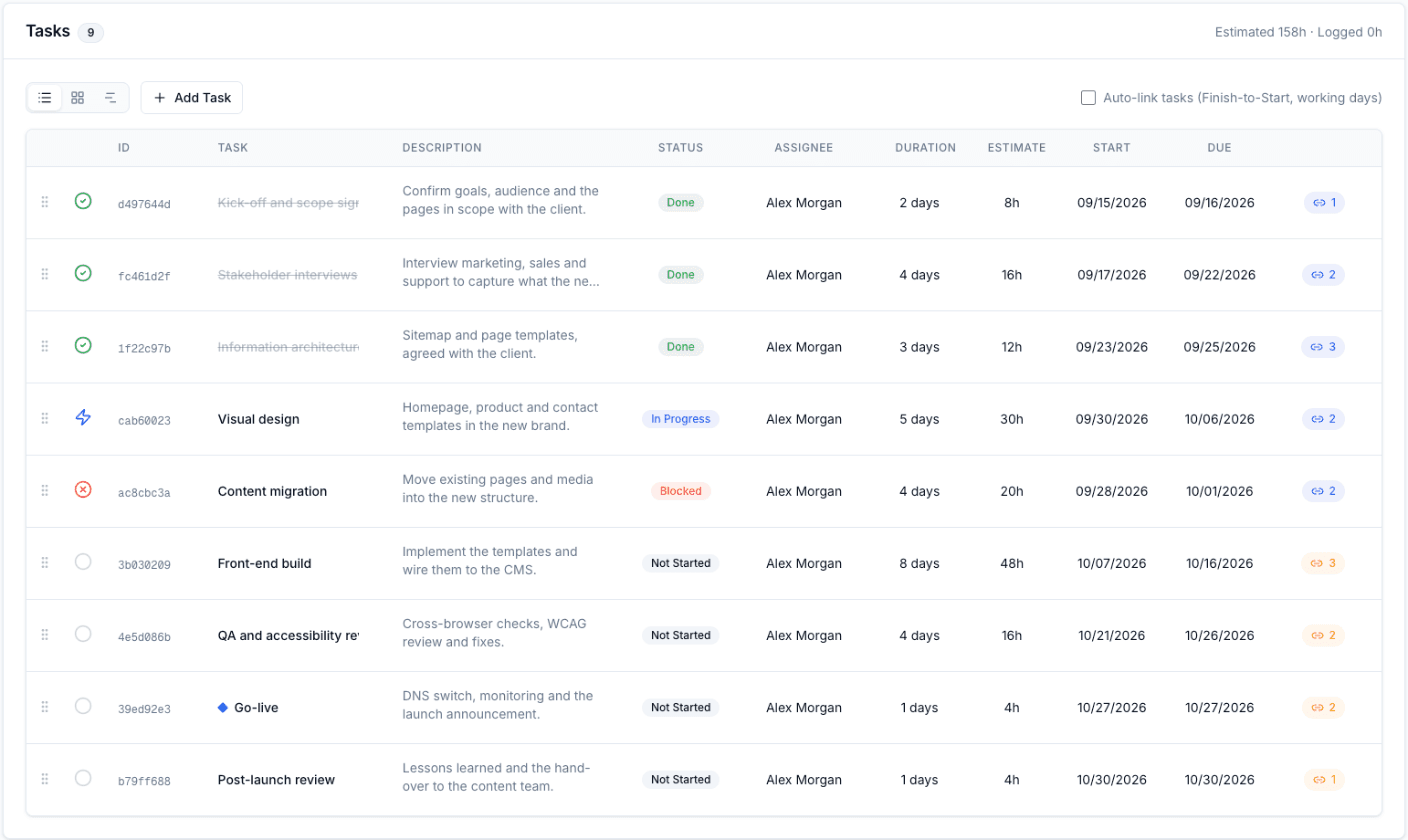
Start blank, from a template, or let AI draft the plan from your statement of work. Tasks get their dates from durations and dependencies, in working days.
- 2
Run it week by week
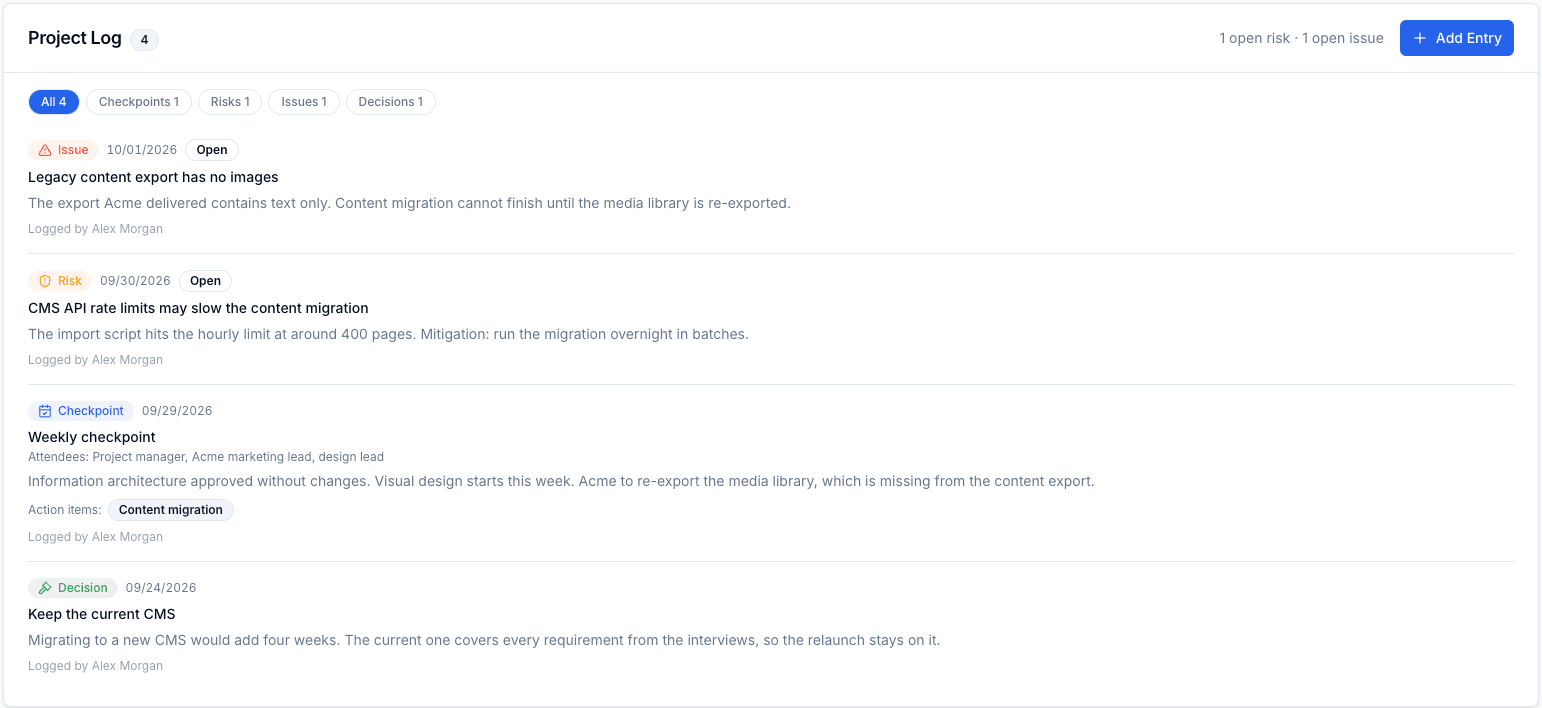
Log checkpoints, risks, issues and decisions in one place. Action items become tasks.
- 3
Report with confidence
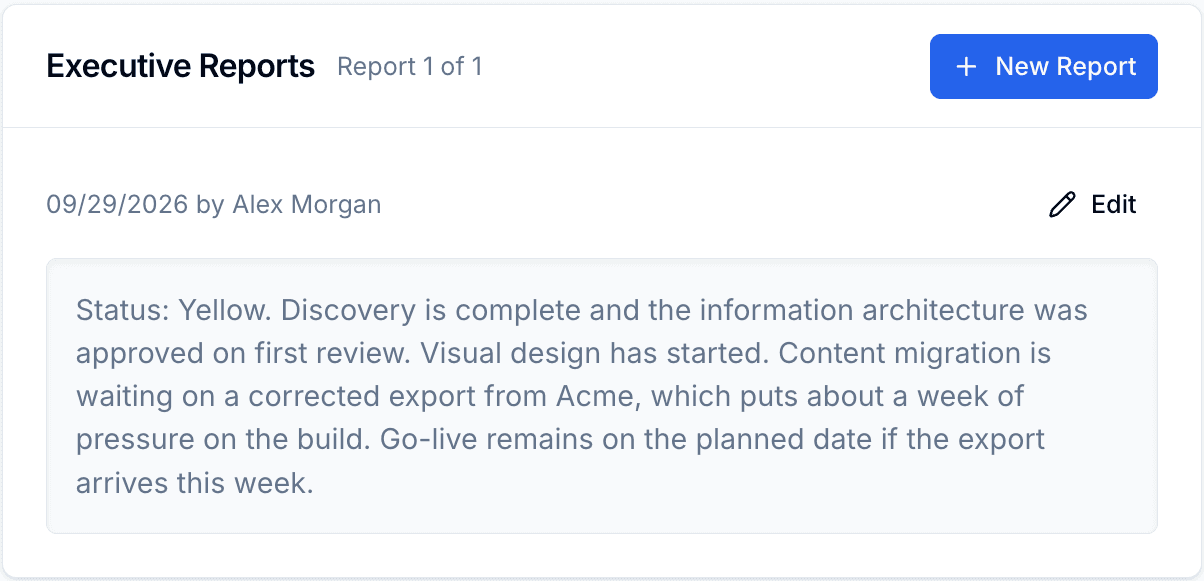
Draft the executive report from the project's own data, then present it full-screen.
Roles that mean something
Admins run the organization, project managers own their projects, and team members update the tasks assigned to them. Everyone sees the whole portfolio; permissions are enforced in the database, not just the interface.
Your data stays yours
Export your portfolio and timesheets to CSV, and delete your account and data whenever you choose.